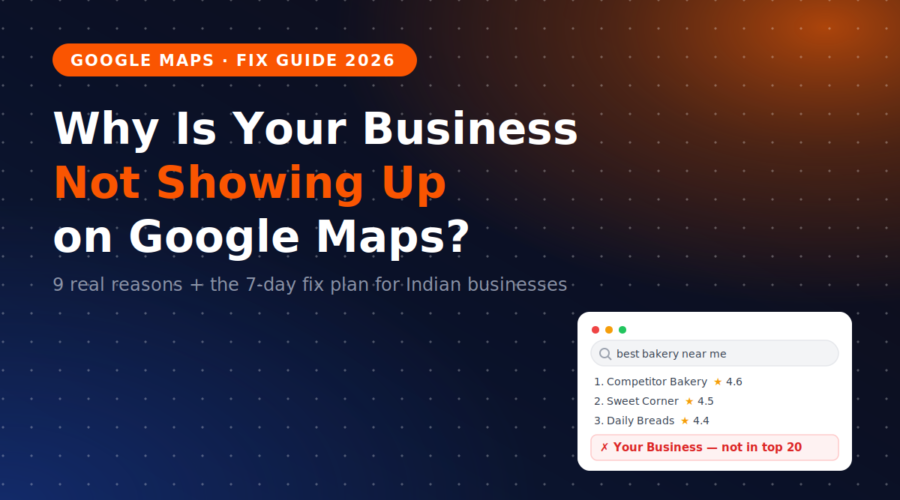
It usually starts the same way. A customer says, “I tried finding you on Google but you didn’t come up.” You laugh it off. Then one evening you search “tiles shop near me” from a friend’s phone across town — and scroll… and scroll… and your shop is nowhere.
Meanwhile, that competitor who opened two years after you is sitting in the top 3 with a photo of his shutter half-open.
Deep breath. In almost every case, a business that’s invisible on Google Maps has one of nine specific, fixable problems. This guide walks you through each one — in the order you should check them — plus a 7-day plan to fix what you find.
📋 Table of Contents
First, Understand How Google Decides Who Shows Up
Google Maps rankings run on three levers: relevance (does your profile match what was searched?), distance (how close are you to the searcher?), and prominence (how established and active does your business look online?).
According to 2026 local ranking factor research (based on Whitespark and BrightLocal analysis), Google Business Profile signals alone carry ~32% of the Local Pack algorithm — categories, keywords, completeness, and activity. Review signals add another 16%, citations 7%, and behavioural signals 8%. In other words: the majority of what decides your visibility lives in places you can directly control.
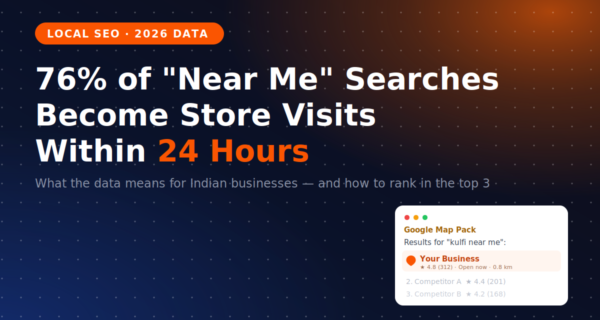
The stakes are worth restating from our “near me” searches data post: 42% of local searchers click one of the top 3 map results, and 76% of nearby searches turn into a store visit within 24 hours. If you’re not visible, that revenue is walking into someone else’s shop — every single day.
The 9 Reasons Your Business Isn’t Showing Up
Work through these in order — they’re sequenced from “most common and most fatal” downward:
1. Your profile was never verified
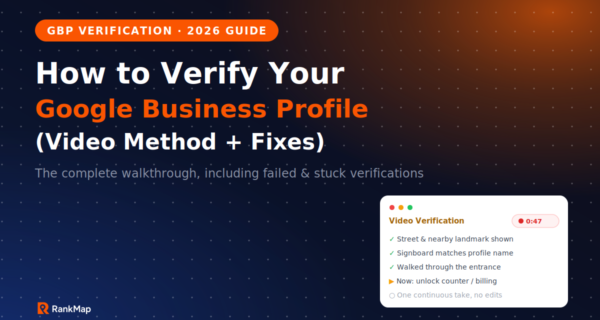
An unverified Google Business Profile simply doesn’t rank. If you created a profile but skipped or failed the verification step (video verification is now the default for most Indian businesses), your listing may be invisible to everyone but you. Open business.google.com and check for a “Verify now” banner — this is the first thing to rule out.
2. Your profile is suspended — and you don’t know it
Google suspends profiles for policy violations, often without a clear email: keyword-stuffed business names, virtual office addresses, sudden bulk edits, or reported fake reviews. If your profile shows “Suspended” in the dashboard, nothing else in this list matters until you file a reinstatement request. (And read our warning about fake reviews in the reviews playbook — bought reviews are a leading suspension cause.)
3. Wrong or vague categories
Your primary category is the single strongest relevance signal you control. “Shop” or “Company” tells Google nothing. A dental clinic set to “Doctor” instead of “Dental clinic” loses every “dentist near me” search. Choose the most specific primary category available, then add secondary categories for every real service line.
4. Your name, address & phone don’t match across the internet
If your GBP says “Sharma Electricals,” your website says “Sharma Electricals & Hardware,” and Justdial has your old Vaishali Nagar address — Google loses confidence in your data and quietly demotes you. Remember: 62% of consumers avoid businesses with incorrect online info (BrightLocal), and Google knows it. Consistent NAP (name, address, phone) across directories is what our Citation Building service exists for.
5. Your profile is half-empty
Per Google’s own 2026 data, complete profiles get 7× more clicks and 70% more in-store visits than incomplete ones — and profiles with updated hours get 2× more visits. No description, no photos, no services list, no hours = Google treats you as a ghost. Fill in every field, upload 10+ real photos, and keep hours current (especially festival hours).
6. Too few reviews — or no recent ones
Businesses with 50+ reviews are 266% more likely to appear in the Local Pack than those with fewer than 10. And since 73% of consumers only trust reviews from the last month, a stale review profile fades even if the count is high. The complete fix is in our Google reviews playbook.
7. Duplicate listings are splitting your signal
Old listings from a previous owner, an ex-employee’s attempt, or an address change often leave duplicates behind. Google either suppresses both or splits your reviews and signals across them. Search Maps for your exact business name and phone number — if two listings appear, merge or remove the duplicate via the profile dashboard.
8. Your business name is keyword-stuffed
“Royal Bakery Best Cakes Pastries Birthday Cake Shop Jaipur” feels clever and works — right up until Google hard-suspends the profile. Your GBP name must match your real-world signboard. Put keywords in your description, services, and posts instead, where they’re allowed.
9. You’re simply too new — prominence takes time
A verified, complete, honest profile with 4 reviews will still lose to a 5-year-old competitor with 300. That’s not a penalty; it’s a queue. The fix is compounding activity: weekly photos and posts, steady review velocity, citations, and website signals. Most businesses doing this consistently see meaningful Map Pack movement within 30–90 days.
The Proximity Blind Spot (The One Nobody Realises)
Here’s the trap that fools almost every business owner: you check your ranking by searching from your own shop — where you will almost always rank #1. Distance is a top-3 ranking factor, so Google shows you your business first. Then you relax, while customers 3 km away can’t find you at all.
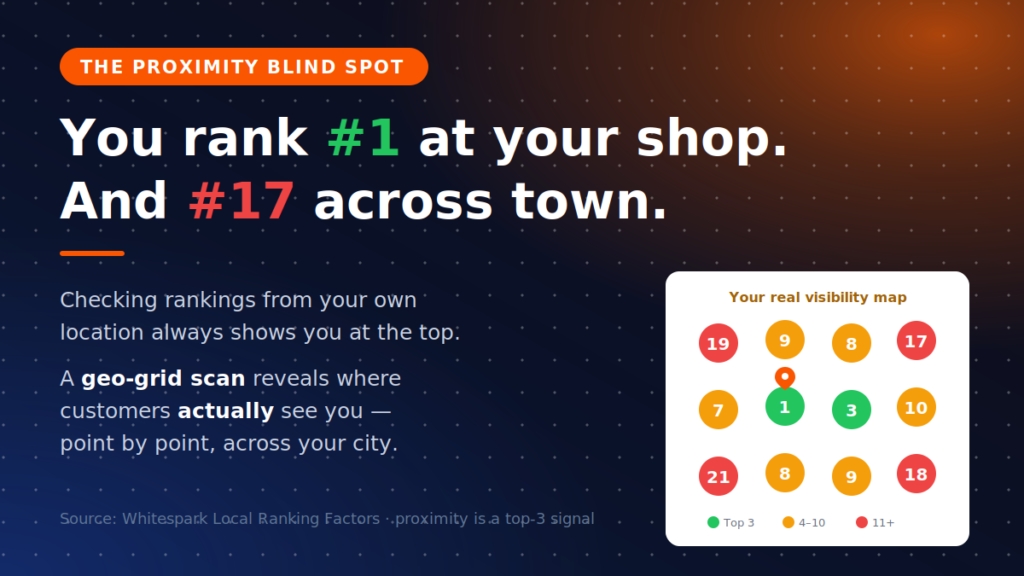
The only honest way to measure Maps visibility is a geo-grid scan: checking your rank for each keyword from dozens of points spread across your service area. It turns “I think we rank well” into a colour-coded map of exactly where you win, where you’re invisible, and which neighbourhoods to fight for next.
The 7-Day Fix Plan
✅ Day 1: Log into your GBP dashboard. Confirm the profile is verified and not suspended. Search Maps for duplicates and flag them.
✅ Day 2: Fix your primary category, add every relevant secondary category, and rewrite your business name to match your signboard exactly.
✅ Day 3: Complete every profile field — description (with your services and areas, written naturally), services list, attributes, hours, and website link.
✅ Day 4: Upload 10–15 real photos: storefront, interior, team, products, and your signboard (helps verification and trust).
✅ Day 5: Fix NAP consistency — update your website footer, Justdial, IndiaMART, Facebook, and Instagram to the exact same name, address, and phone.
✅ Day 6: Ask your 10 happiest recent customers for a Google review via WhatsApp, using your direct review link.
✅ Day 7: Run a geo-grid scan to get your true baseline — then repeat it monthly to track what’s working.
⚠️ What NOT to do while fixing this: don’t change your address/name/category repeatedly in one week (bulk edits trigger re-verification or suspension), don’t add a virtual office to “cover” another city, and don’t buy reviews to speed things up. Each of these can turn a visibility problem into a suspension problem — which takes far longer to undo.
How RankMap Finds & Fixes All of This Automatically
Everything above is doable manually — once. The businesses that stay in the top 3 are the ones monitoring and maintaining it every week. That’s what RankMap does: an AI-powered Google Maps ranking platform designed and priced for Indian businesses.
- 🔍 AI Profile Audit — RankMap scans your Google Business Profile against 40+ ranking factors (categories, completeness, NAP, photos, policy risks) and gives you a prioritised fix-list in plain language — including the problems from this post you’d never spot yourself.
- 📍 Geo-Grid Heatmap Tracking — see your real rank from dozens of points across your city for every keyword. No more proximity blind spot — you’ll know exactly where customers can and can’t find you.
- 🔧 Full GBP Management — categories, descriptions, weekly posts, photo strategy, and updates handled end-to-end. Explore GBP Management.
- 🔗 Citation Building — consistent NAP pushed across 62+ Indian directories that Google trusts. Explore Citations.
- ⭐ Review Engine — automated WhatsApp/SMS review requests and AI-drafted responses that keep your velocity climbing. Explore Review Management.
- 🦾 AI SEO (GEO-ready) — get recommended by ChatGPT, Gemini and Google AI Mode, not just Maps. Explore AI SEO.
No agencies. No ₹25,000/month retainers. Check our pricing — most businesses see Map Pack movement within 30–90 days.
FAQ
How long does it take to start showing up on Google Maps?
If the problem is verification, a suspension, or a wrong category, fixes can reflect within days of Google processing them. Building prominence (reviews, activity, citations) is slower — most businesses doing consistent weekly work see meaningful Map Pack movement within 30–90 days, faster in low-competition areas.
My business shows on Google Maps but not in the top results — is that the same problem?
It’s a different severity of the same system. “Not showing at all” usually means verification, suspension, or duplicate issues (reasons 1, 2, 7). “Showing but ranked low” means relevance and prominence gaps — categories, profile completeness, reviews, and citations (reasons 3–6, 9). The 7-day plan covers both.
Why does my business show up when I search, but customers say they can’t find it?
That’s the proximity blind spot. Google heavily weighs the searcher’s location, so from your own shop you’ll almost always see yourself at #1. Your customers, searching from 2–5 km away, may see you at #15 or not at all. A geo-grid scan from multiple points across your city is the only accurate way to see what customers actually see.
Do I need a website to rank on Google Maps?
You can rank without one, but you’re leaving signals on the table — on-page signals contribute roughly 19% of the local algorithm, and your website reinforces your NAP, services, and service areas. Even a simple one-page site with consistent business details measurably helps, and it gives AI tools something to cite.
Sources & Further Reading
- Digital Applied — Local SEO Statistics 2026: 120+ Data Points (incl. Whitespark ranking factor weights)
- Searchlab — Google Business Profile Statistics 2026
- BrightLocal — Local Consumer Review Survey 2026
- Google — Google Business Profile (verification & guidelines)
- Think with Google — Consumer local search behaviour research
Want results like these for your business?
RankMap's AI manages your GBP, reviews, and citations automatically — so you rank #1 on Google Maps without lifting a finger.